Type your website. Get your email signature.
Our new AI email signature generator builds a finished, on-brand signature from your website in about a minute. Here's the 38 second tour.
3
Banners To Pick From
~1 min
To Build
7
Research Steps
5
Banner Ideas Ranked
Using ChatGPT or Claude? Take this article with you.
The short answer
Sigmail's AI email signature generator builds a finished, on-brand email signature from your company website in about a minute. Type your website and it finds your logo and animates it, picks up your brand colours, fonts and social links, searches for something current to promote, and designs a banner for it. Everything opens in the normal builder so you can change it, and it's free to start.
Published 14 November 2026.
How it works.
Type your website on the homepage, or on the first screen of a new template, and press the button. That's the only thing you fill in.
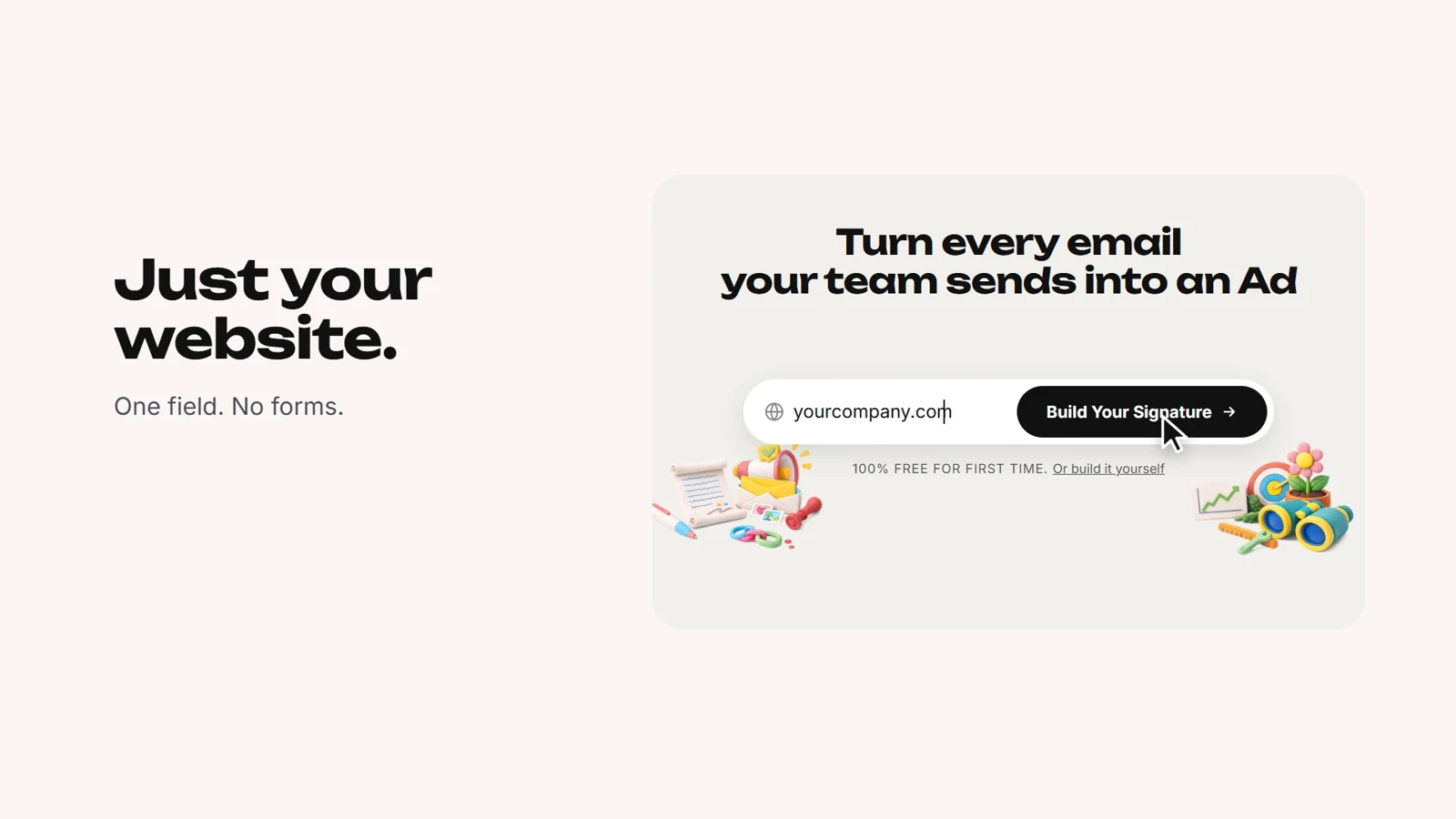
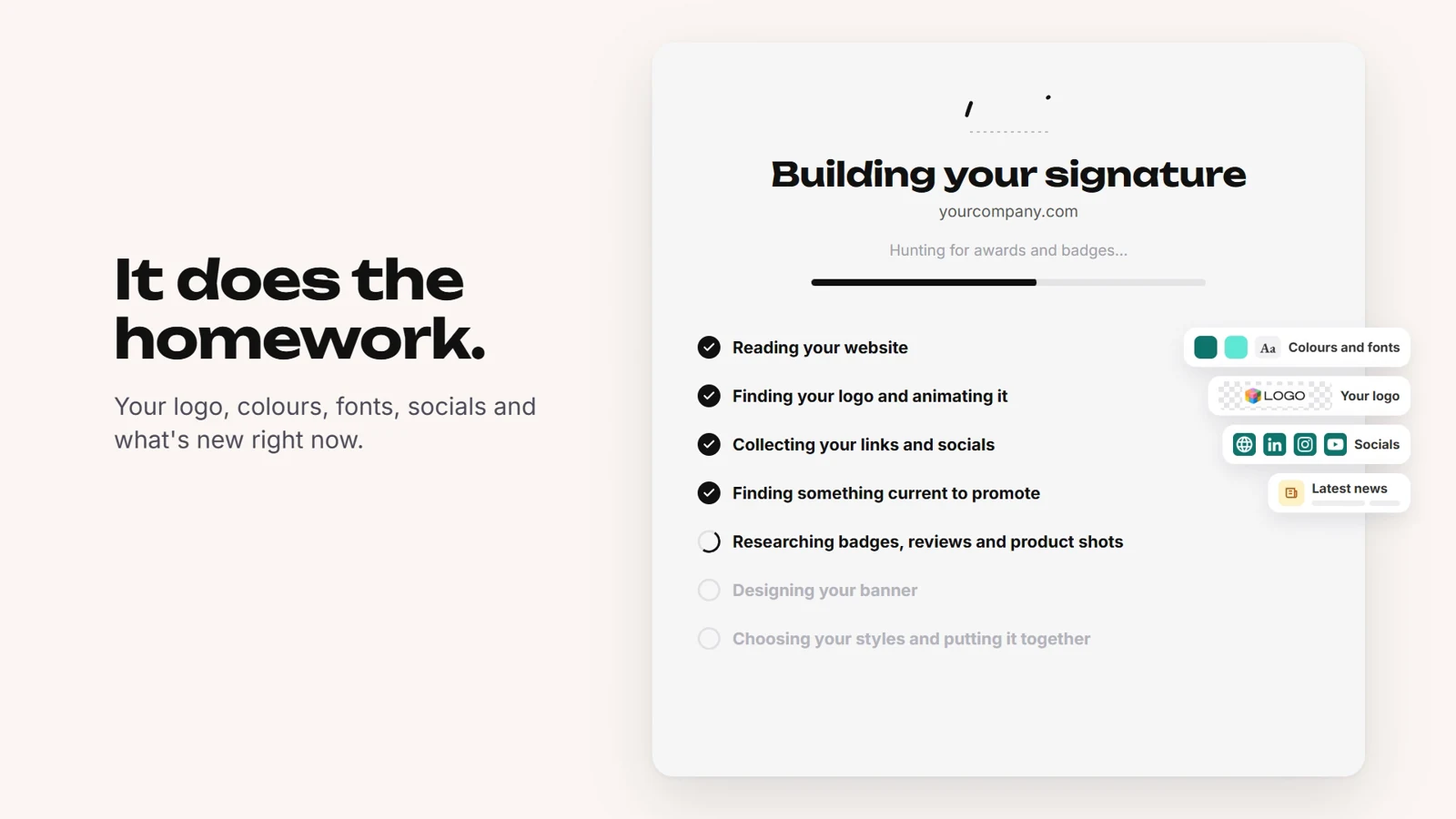
Then it does the homework, in seven steps you can watch tick off:
- 1
Reading your website
Your company name, what you do, and how your site looks.
- 2
Finding your logo and animating it
It finds your official logo, removes its background and gives it a gentle fade-in.
- 3
Collecting your links and socials
Your website, LinkedIn, Instagram, X and the rest, straight from your own site.
- 4
Finding something current to promote
A web search for your latest launch, event, offer or news, and the page about it.
- 5
Researching badges, reviews and product shots
Awards, ratings and real product photos from your site and your public social pages.
- 6
Designing your banner
Five banner ideas, ranked. The best are designed, and you pick one.
- 7
Choosing your styles and putting it together
Layout, button style, corners, photo shape and icons, picked to match your brand.
It researches your business, not a template.
Most email signature generators give you a form and a few templates. This one starts from what's already true about your company: your real logo, your real colours and type, your real products and whatever you're doing right now.
The promotion is the part people notice. It searches for your latest launch, event, offer or news from the last few months, and the banner links to the page about it, usually on your own site. If there's nothing current, it promotes your main offer instead, like booking a demo. If your website blocks automated visits, it looks for your official logo and product images elsewhere before giving up.
A banner designed for what's happening now.
The banner isn't a template with your logo dropped in. An AI creative director writes five banner ideas from your real products, photos, colours and type, ranks them, and the best are designed. A check then reads the text back and redraws anything misspelt. You get up to three to pick from.
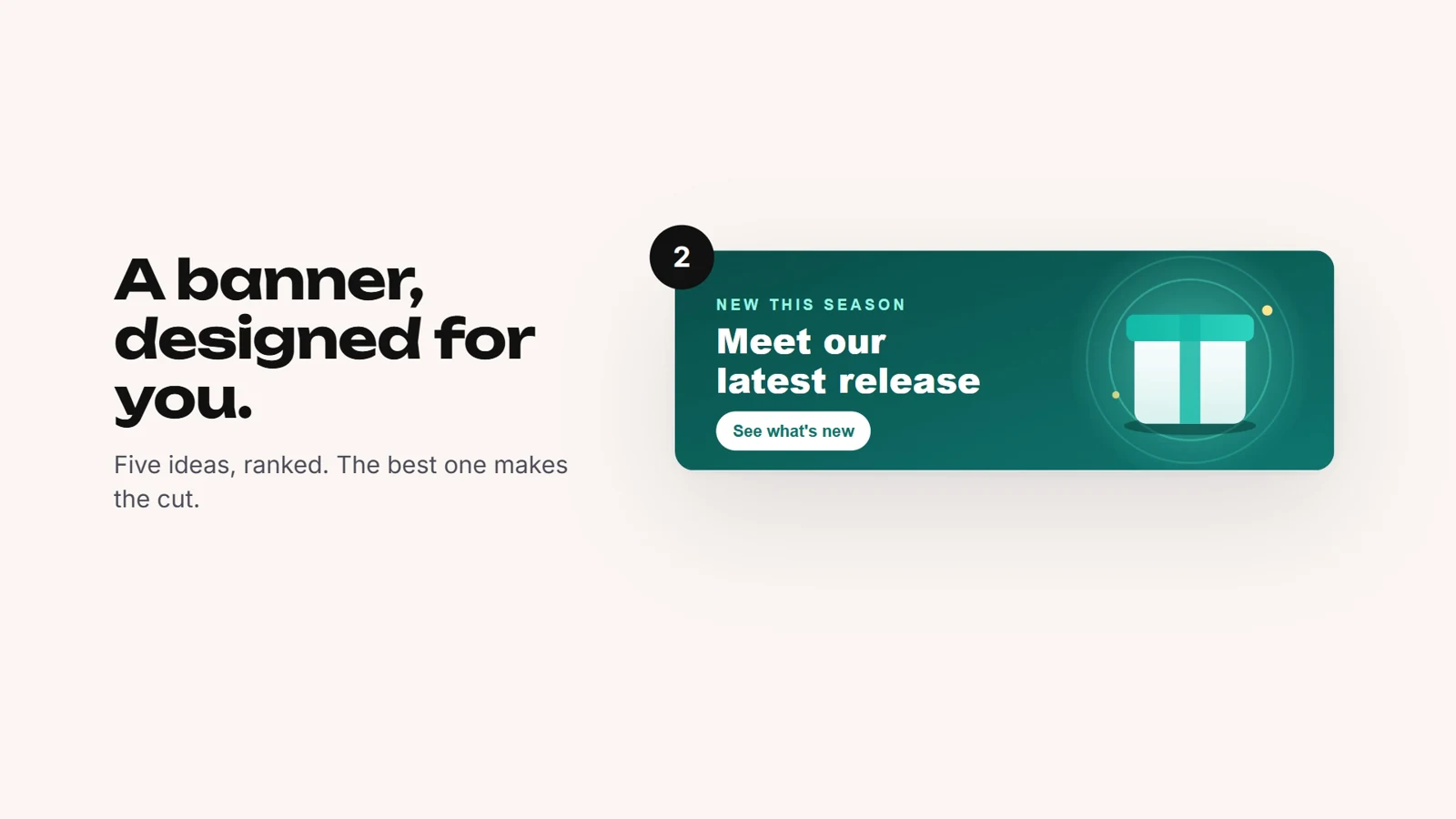
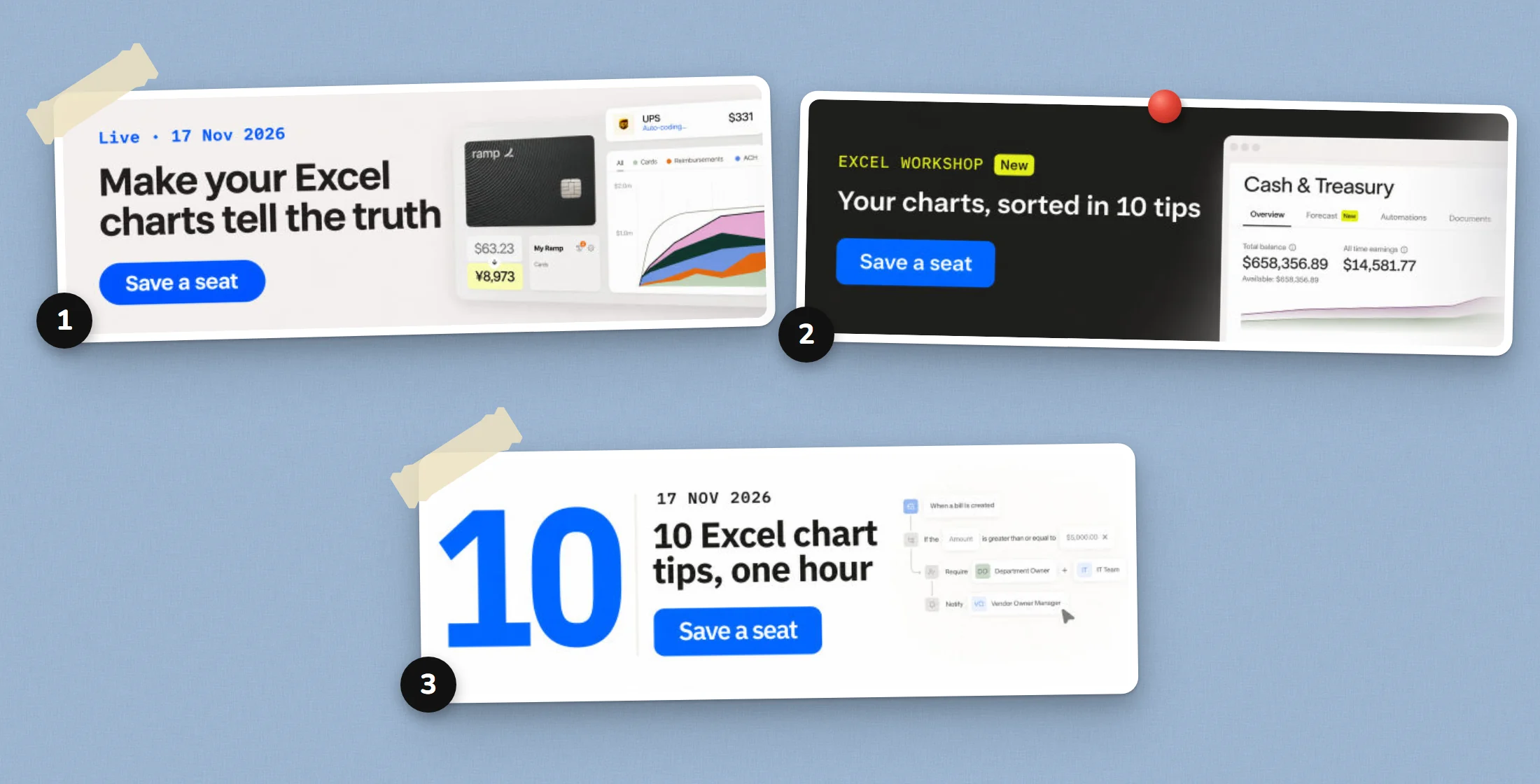
For Ramp, it found an Excel charts workshop on 17 November and designed three different banners for it, each with a "Save a seat" button:
What it built for Smyths, Dr. Squatch, WWE and more.
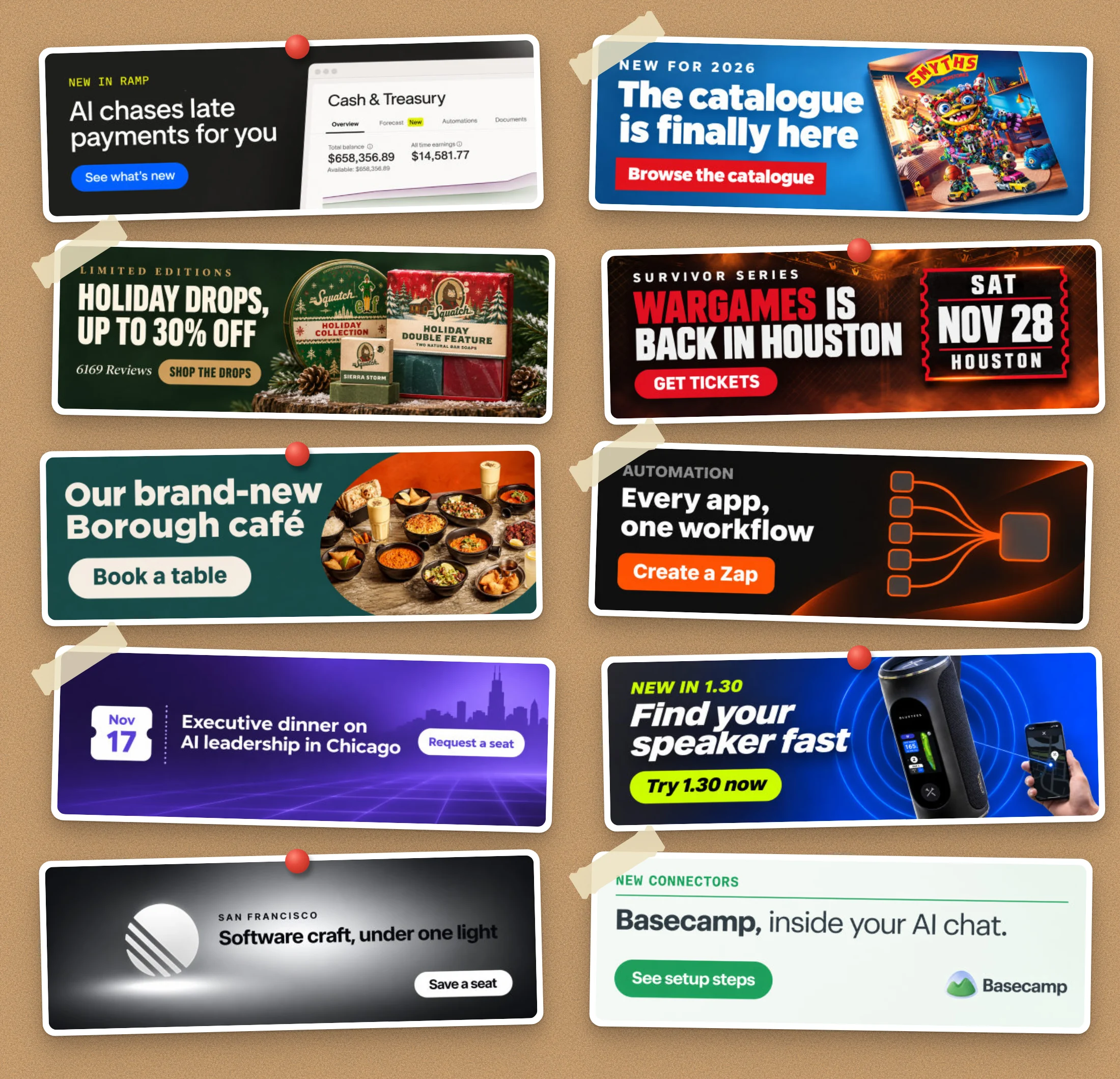
We ran the websites of a few well-known brands to see what it would do. It found Smyths Toys' new catalogue, Dr. Squatch's holiday drops with up to 30% off, WWE's Survivor Series date in Houston, Dishoom's new Borough café and a ClickUp executive dinner in Chicago, and designed a banner for each.
Styled to match your brand.
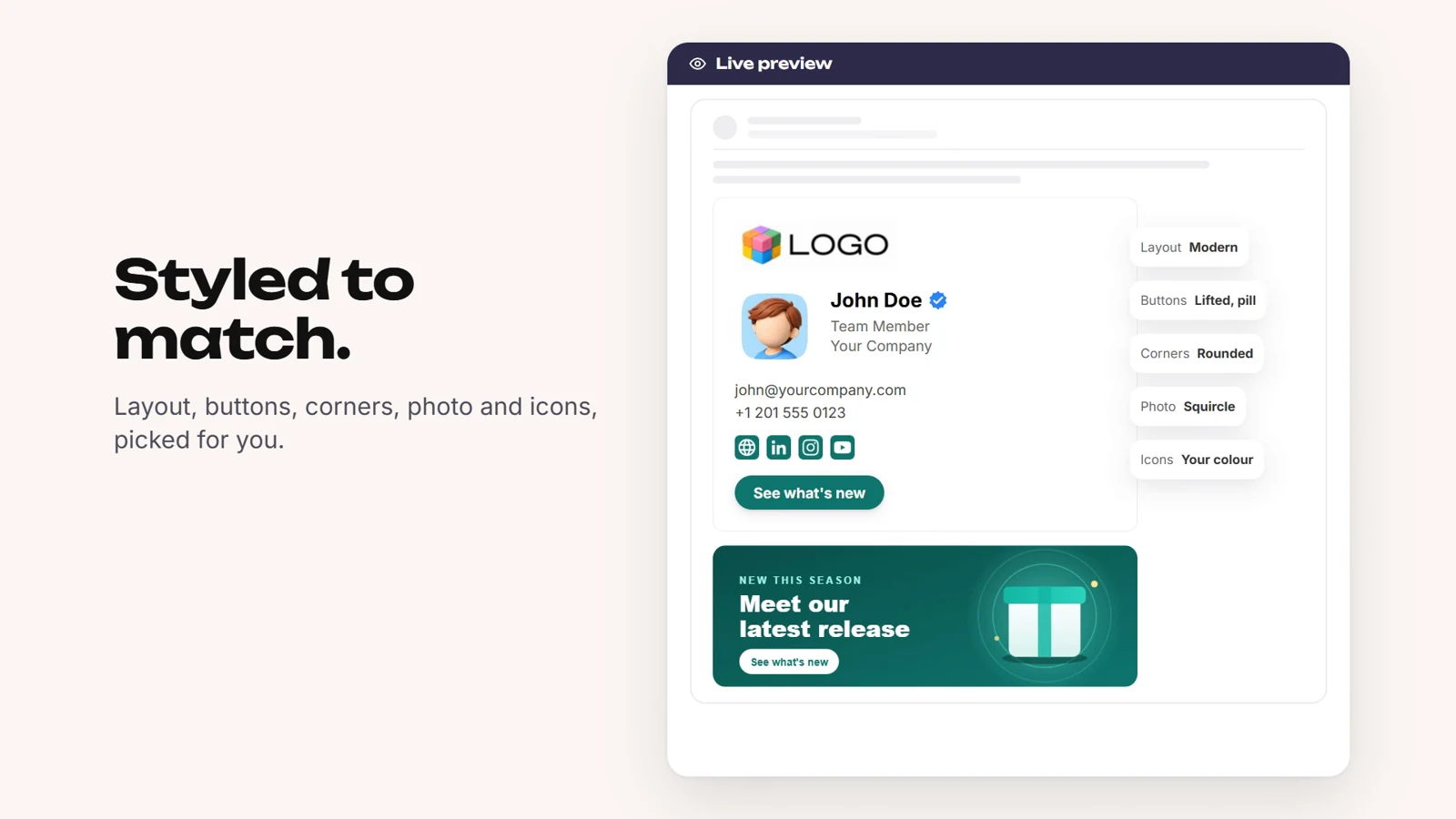
It also picks the rest of the design for you: the layout, button style, corners, photo shape and icon style, with your brand colour on the buttons and icons. You can change any of it.
Then make it yours.
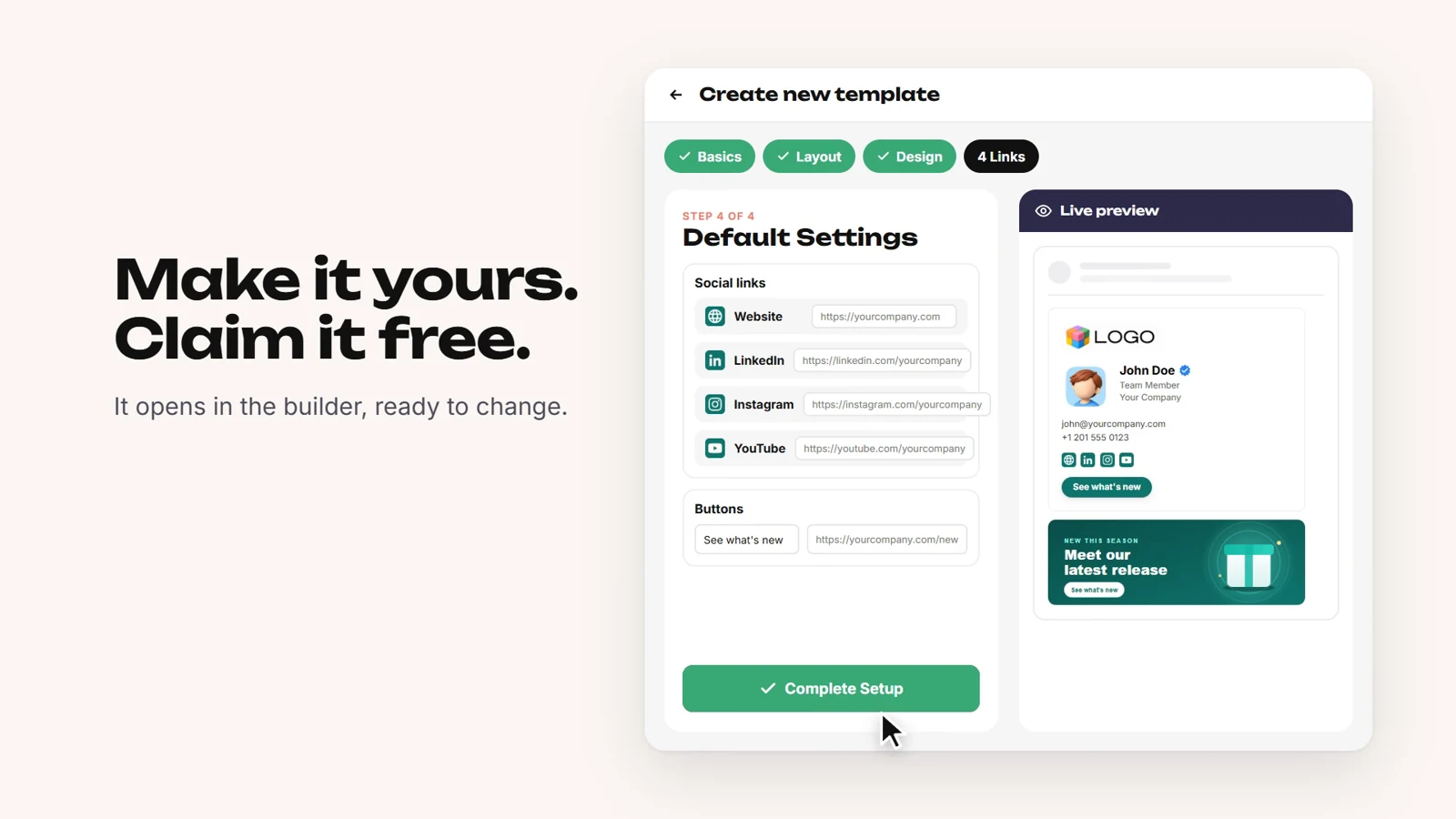
Your signature opens in the normal four-step builder with everything filled in and a live preview on the right. Change what you like, pick a different banner, add your own name and photo, then press Complete setup to create your free account and keep it.
From there it works like any Sigmail signature: share a link so your team can add their own details, copy it into Gmail, Outlook or Apple Mail, and see who clicks the banner. Read our guide to email signature banners to get the most from it.
Worth checking before you send.
- The promotion. It's based on what's public today. Make sure the offer or date is still right, and swap the banner when it isn't.
- Your details. The preview uses a sample person. Add your own name, title, phone and photo, or share the link so each person adds theirs.
- Blocked websites. A few websites don't let automated visitors in. If yours is one, you'll see a friendly message and can build it yourself in a few minutes.
AI email signature generator FAQ.
Is the AI email signature generator free?
Yes, it's free to start. Build your signature, then create a free account to keep it. The free plan includes one signature; click analytics start on the $4 a month Starter plan, for your whole team.
How long does it take?
About a minute. You watch each step tick off while it builds.
Does it work with any website?
With most. Some websites block automated visits. When that happens it looks for your official logo and product images elsewhere, and if it still can't get in, it tells you and you can build your signature yourself in a few minutes.
Where does the banner's promotion come from?
From your own website and a web search for your recent launches, events, offers and news. The banner links to the page about it, usually on your own site. If there's nothing current, it promotes your main offer.
Can I change what it builds?
Everything. It opens in the normal signature builder with every setting filled in, so you can swap the banner, change colours, edit the button or start the design again.
Does the signature work in Gmail and Outlook?
Yes. It's the same signature Sigmail always makes, with one-click copy for Gmail, Outlook, Apple Mail and GoHighLevel.
What happens to my build if I don't sign up?
Unclaimed builds are deleted after 7 days.
Helpful resources.
- Email signature banners that get clickedSizes, ideas and the CTA rules the AI follows when it designs your banner.
- Email signature size cheat sheetLogo, photo, banner and GIF sizes, if you want to fine-tune what it built.
- How we track signature clicksSee which links people click, with bot clicks filtered out.
- Your signature on every device with Microsoft 365For teams sending from Outlook on phones.
Type your website. See what it builds.
It takes about a minute and it's free to start. If you don't like the result, change it, or build your signature yourself.
Ready to get started?
Type your website and get a finished email signature in about a minute. No credit card required.