Email signature size: the 2026 cheat sheet for logos, photos, banners and GIFs.
Every size you need for a signature that looks sharp in Gmail, Outlook and on phones, with the file sizes and formats that work.
600
Max Width (px)
150
Max Logo Width (px)
2x
Upload Size
200 KB
Per Image
Using ChatGPT or Claude? Take this guide with you.
The short answer
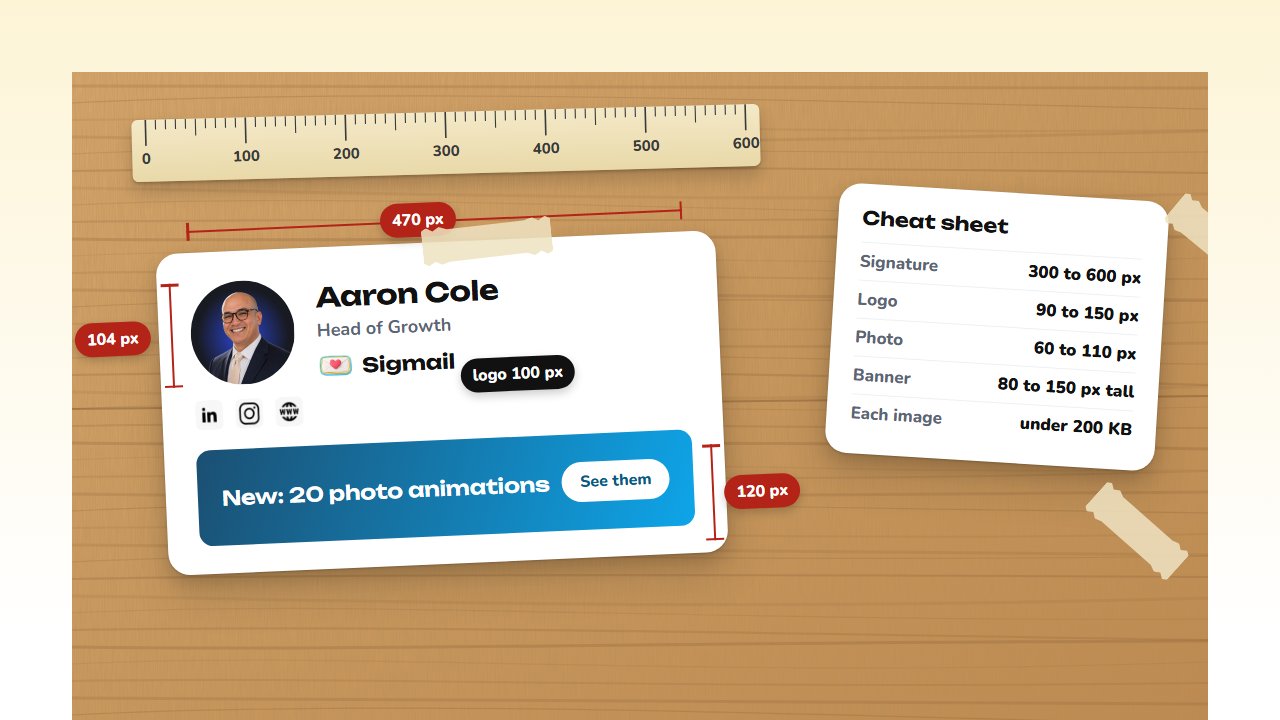
Keep your email signature 300 to 600 px wide and under about 200 px tall, not counting a banner. Show logos at 90 to 150 px wide, profile photos at 60 to 110 px square, and banners at the same width as the signature and 80 to 150 px tall. Keep each image under 200 KB, and make it twice the size it's shown so it stays sharp.
Last updated 13 November 2026.
Email signature size cheat sheet
Display size is how big it looks in the email. Upload size is the file you make.
How wide should an email signature be?
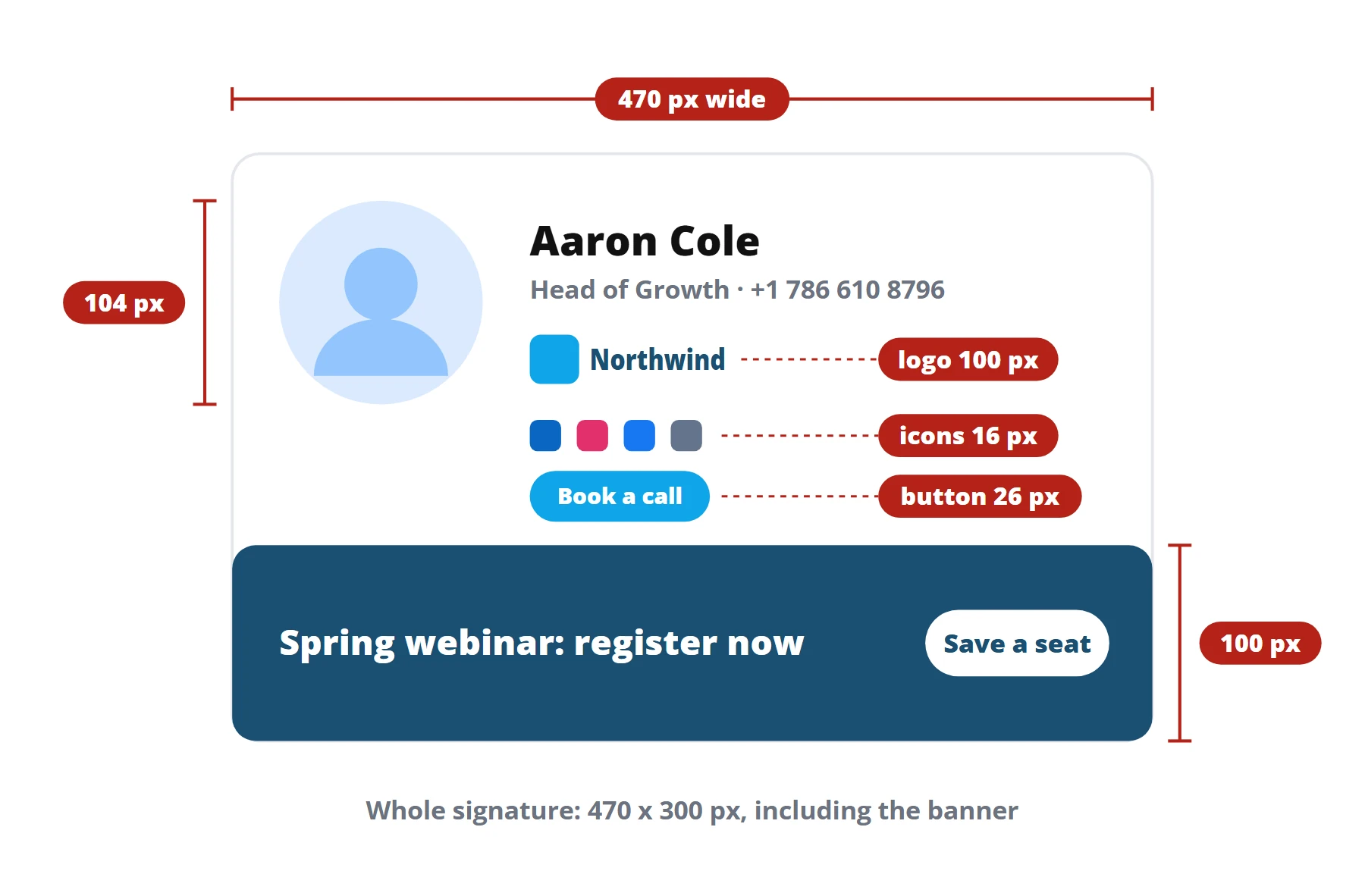
Between 300 and 600 px. Most people read email in a narrow reading pane or on a phone, and a phone screen is about 375 px wide. Anything wider than 600 px gets cut off on desktop or shrunk on mobile.
Narrower is usually better. A signature around 320 px wide fits a phone screen without shrinking, and one up to about 470 px still reads well when the phone scales it down. Both look deliberate on a big screen. Every Sigmail layout sits between 320 and 470 px.
How wide our layouts are, to scale
Against a typical phone screen (375 px) and the usual 600 px maximum
On a phone, signatures wider than the screen are scaled down, so text and buttons get smaller. 320 px layouts fit without shrinking.
How tall should it be?
Aim for under about 200 px for the signature itself (name, title, contact details, logo or photo), plus a banner if you use one. Much taller and the signature looks bigger than a short reply it sits under. If you need more lines, put details side by side in two columns instead of stacking them, like the Divided and Spotlight layouts in our latest update.
What size should my logo be?
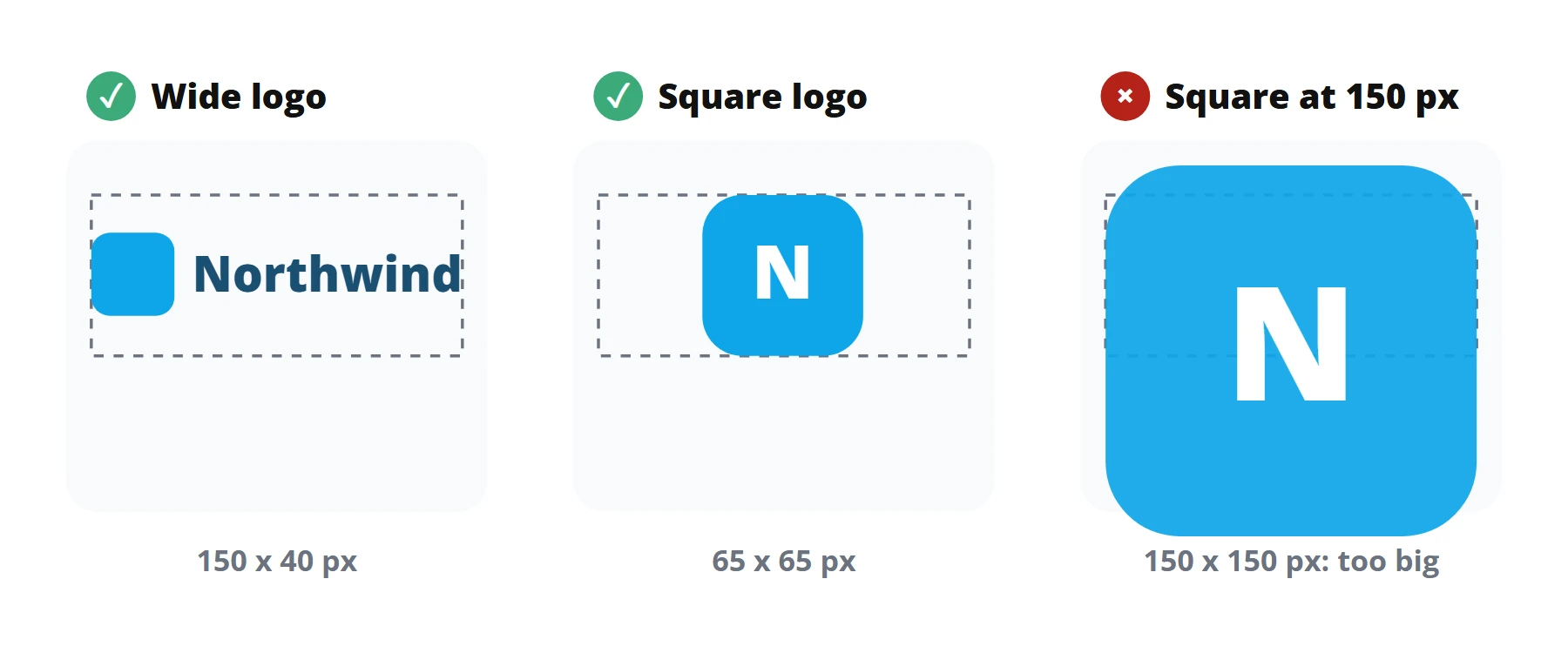
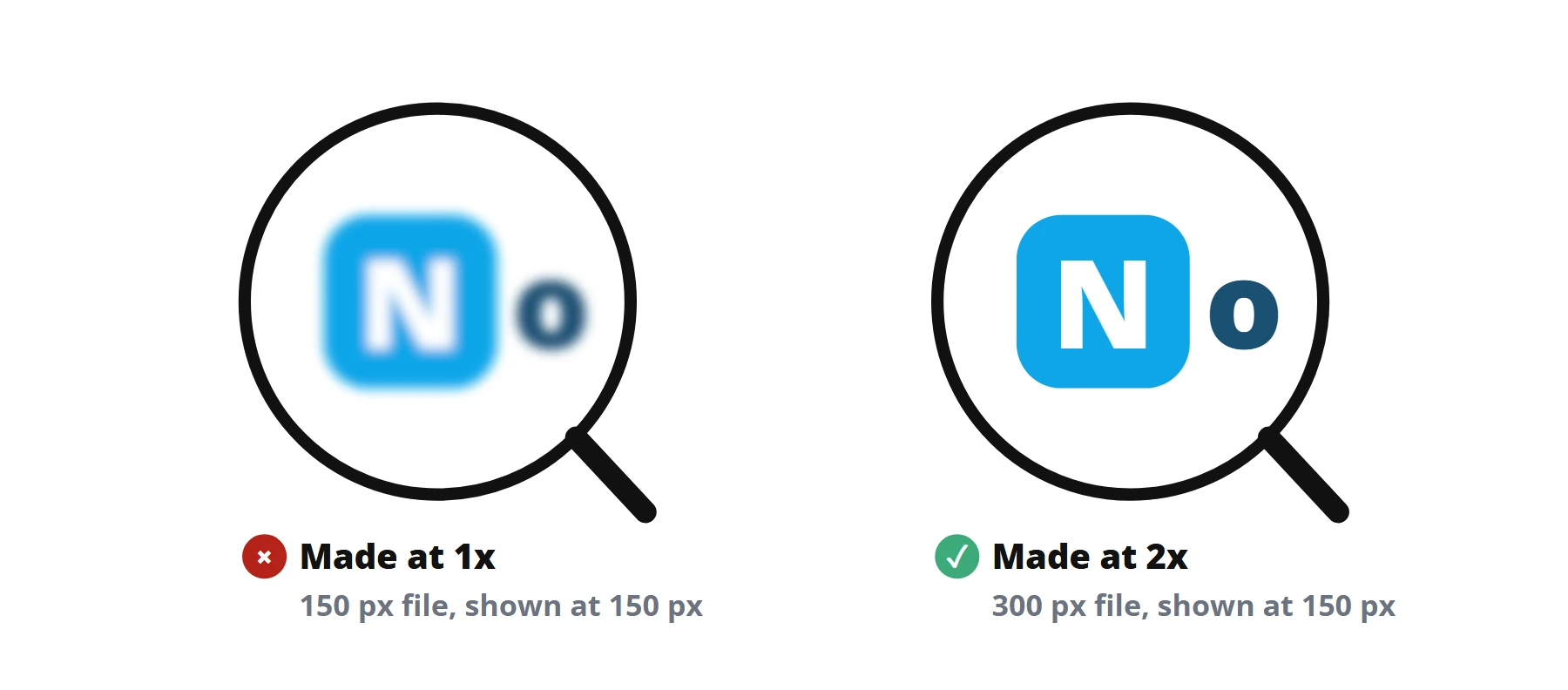
Show it 90 to 150 px wide and no taller than about 65 px. Make the file twice that size (for example a 300 px wide file shown at 150 px) so it stays crisp on Retina and other high-resolution screens. Sigmail's layouts show logos 90 to 110 px wide.
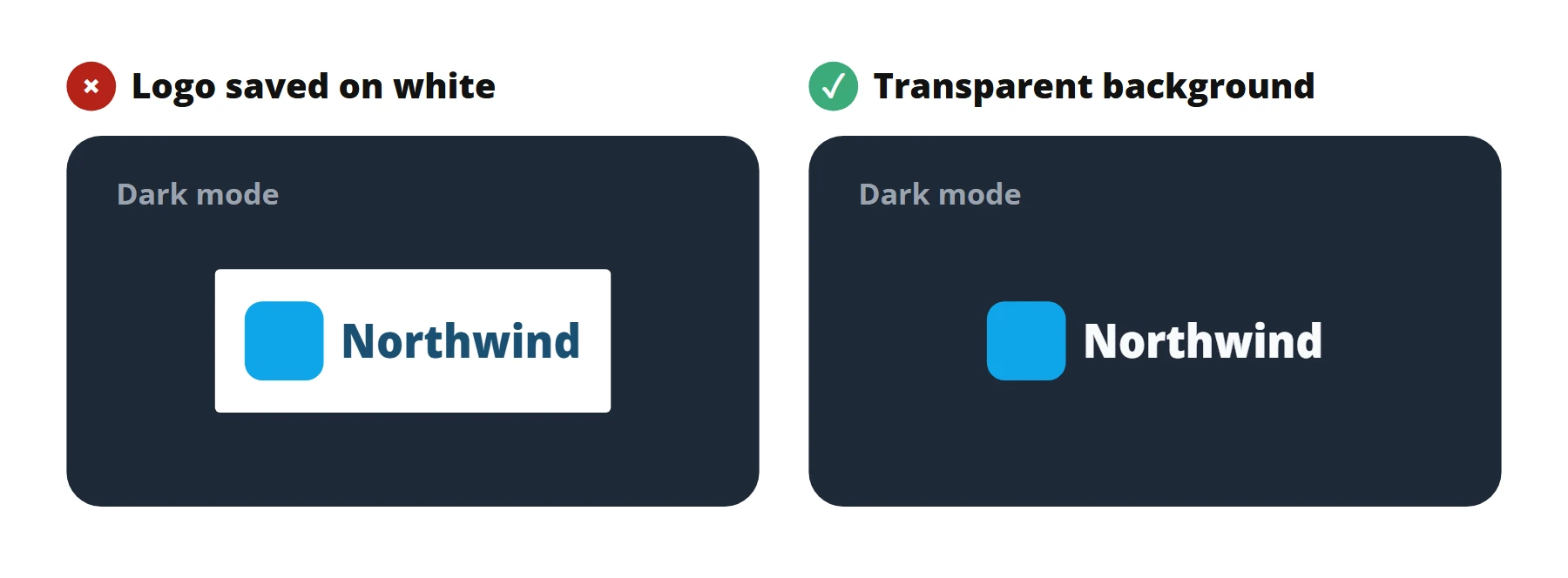
Two things matter more than the exact pixel count. Shape: a wide logo needs less height, and a square logo needs less width, or it dominates the signature. Background: a logo on a white box looks fine in light mode and like a white sticker in dark mode. Use a transparent PNG.
If you only have a logo on white, Sigmail can remove the background for you, so it works on dark backgrounds too.
What size should my profile photo be?
Show it 60 to 110 px square. Below about 50 px faces get hard to recognise, and above about 120 px the photo takes over. Upload a square crop at 2x (120 to 220 px). Round and shaped photos are square images with transparent corners, so the shape doesn't change the size you need. Sigmail's layouts use photos from 52 to 104 px, and animated photo masks are made at 2x automatically.
How big can an email signature banner be?
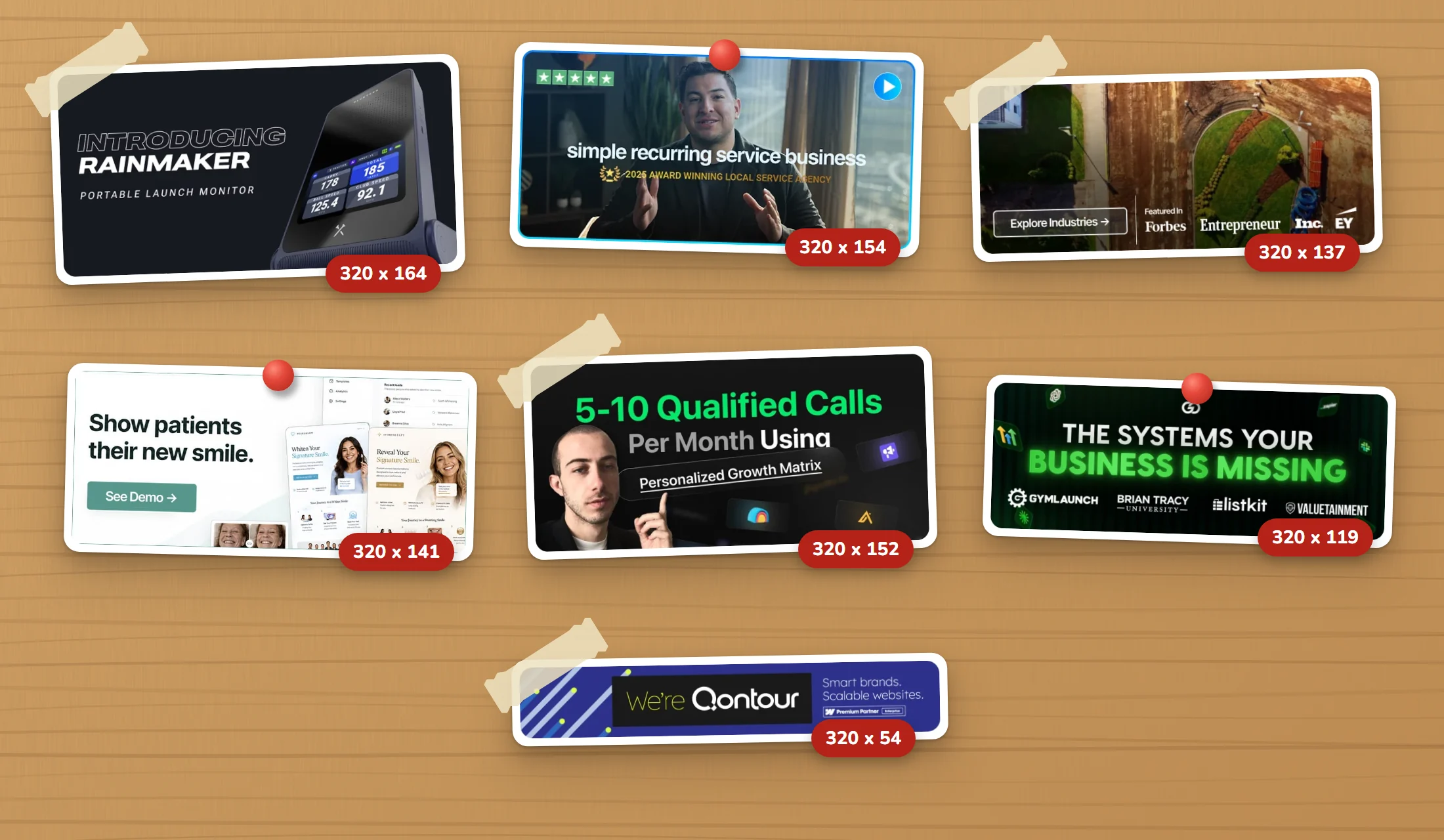
Match the width of your signature and keep it 80 to 150 px tall. A 470 px wide signature gets a 470 px wide banner, made at 940 px. Banners cause most file-size problems, so keep them under 200 KB: JPG for photos, PNG for flat graphics and text.
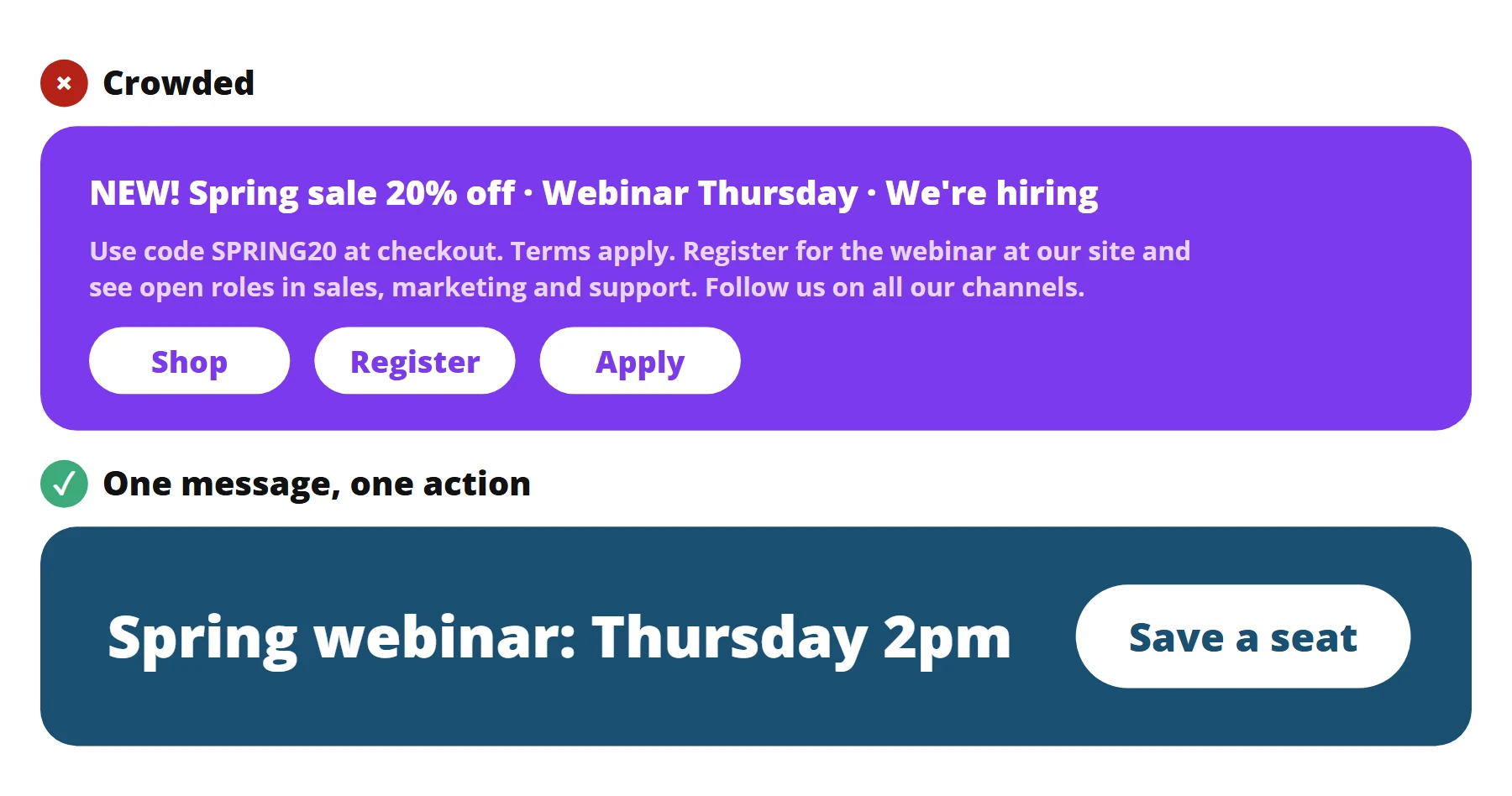
Size isn't the only thing that makes a banner work. Keep it to one message and one action, with text big enough to read on a phone (at least about 14 px tall at display size). If you want to know whether people actually click it, track clicks per link and filter out bot clicks.
In practice, banners run taller than most guides suggest. Across 40 banners Sigmail customers use, the typical upload is 757 x 315 px, about 2.6 to 1, which shows about 120 px tall in a 320 px layout and 180 px in a 470 px one. That works when the banner is mostly picture and the text is big. 70% are JPEGs, and the typical file is 59 KB. (Logos, for comparison: typically 208 x 80 px, and more than half are animated GIFs.)
How big should an animated GIF be?
Show an animated logo or photo at the same size as the still version. The difference is file size, because every frame adds weight. Keep animations short (2 to 4 seconds), use fewer colours, and aim for under 200 KB. Never go over about 1 MB.
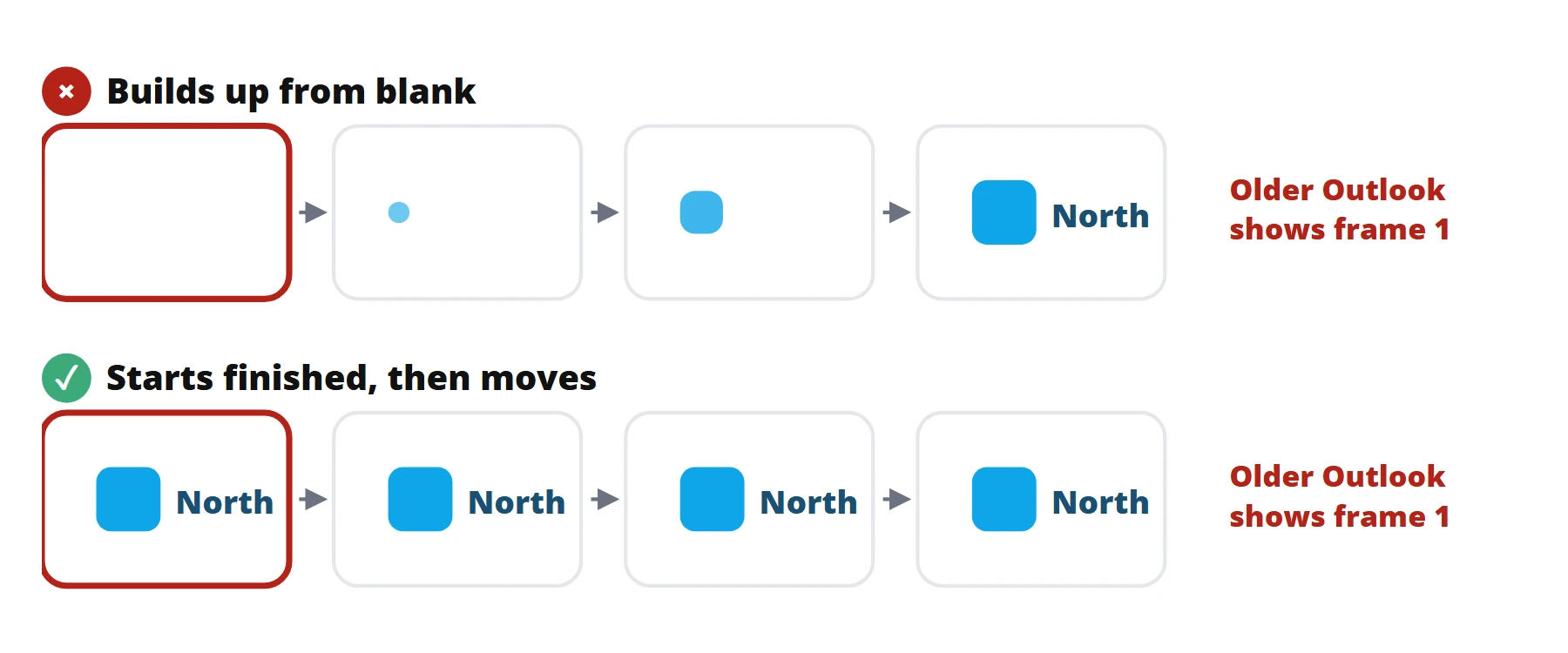
Not every email app plays animation. Classic Outlook for Windows up to Outlook 2019 shows only the first frame, and newer Outlook versions stop animations when animation is turned off in Windows settings. If an animation builds up from nothing, those readers see a blank space instead of your logo. If many of your contacts use older Outlook, a still logo is the safer choice. Litmus keeps a good guide to which apps play GIFs.
Why make images at 2x?
Most laptops and phones have high-resolution screens that use two or three device pixels for every pixel in the email. An image made at exactly its display size looks soft on those screens. Making it at 2x and showing it at half size keeps it sharp.
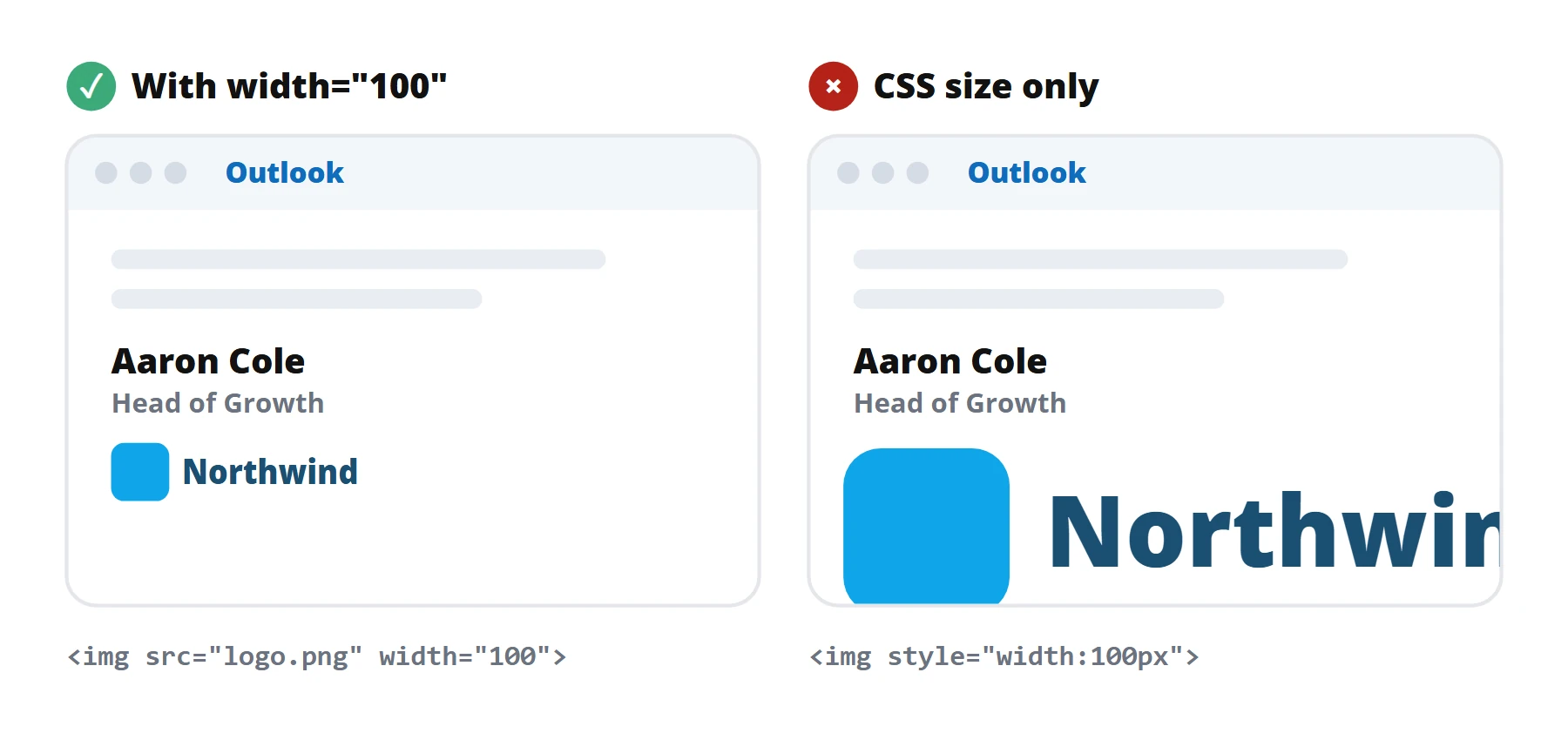
The catch: the HTML has to say how big to show it, with a width attribute on the image. Classic Outlook for Windows ignores CSS sizes and shows an image at its full pixel size when that attribute is missing, so a 2x logo suddenly appears twice as big. Sigmail sets the display size on every image for you.
Does image size affect deliverability?
Not much on its own, as long as images are hosted (loaded from a web server) rather than attached. Hosted images don't add to the size of the email itself, so a 200 KB banner doesn't make your email 200 KB heavier.
What does matter:
- Attached or embedded images make every email heavier, and often show up as attachments.
- The size of the HTML. Gmail clips emails whose HTML is over about 102 KB and hides the rest behind "View entire message". A bloated signature repeated down a long thread can push you over.
- Where images are hosted. Images linked from Google Drive or Dropbox often fail to load, and file-sharing links can look suspicious to spam filters.
Which image formats work in email signatures?
- PNG for logos, icons, buttons and anything with transparency or text.
- JPG for photos and photo-style banners.
- GIF for animation only.
- Avoid SVG and WebP. SVG doesn't display in Gmail or Outlook for Windows, and WebP doesn't display in Outlook for Windows.
Support changes over time, so check the live tables for SVG and WebP before you use either.
Common email signature sizing mistakes.
- 1
The giant logo
A 1,200 px logo file with no width set shows at full size in classic Outlook, filling the screen.
- 2
A banner wider than the signature
It forces the whole email wider than a phone screen and looks pasted on.
- 3
A 1 MB GIF
It loads slowly on mobile data, and older Outlook only shows its first frame anyway.
- 4
A logo on a white box
It looks fine in light mode and like a white sticker in dark mode. Use a transparent PNG.
- 5
Tiny text
Anything under about 12 px is hard to read on a phone. Phone numbers and job titles suffer most.
- 6
The whole signature as one image
When images are blocked, your name and number vanish. Nobody can copy your number, and you only get one link. Use real text, with images for the logo, photo and banner.
Installing it without breaking the sizes.
Copy and paste is where sizes most often go wrong, because some editors strip the width settings. Copy your signature with the right button for your email app, then follow the official steps for Gmail or Outlook. Outlook's phone apps don't keep designed signatures, so if your team sends from phones on Microsoft 365, add the signature on the server instead with our Microsoft 365 guide.
Email signature size FAQ.
What is the best size for an email signature?
Between 300 and 600 px wide and under about 200 px tall, not counting a banner. Around 320 px fits a phone screen without shrinking, and up to about 470 px still reads well on phones and desktops.
What size should a logo be in an email signature?
Show it 90 to 150 px wide and no more than about 65 px tall. Upload it at twice that size so it stays sharp on high-resolution screens.
What size should an email signature banner be?
The same width as your signature (usually 300 to 600 px) and 80 to 150 px tall, with a file under 200 KB.
Why does my email signature image look blurry?
It was probably made at exactly the size it's shown, so it looks soft on high-resolution screens. Upload it at 2x and set the display size in the HTML.
Why is my signature logo huge in Outlook?
Classic Outlook for Windows ignores CSS image sizes. If the image has no width attribute in the HTML, Outlook shows it at its full pixel size.
Do images in a signature hurt deliverability?
Hosted images of a sensible size don't make the email heavier. Attached images, bloated HTML and images linked from file-sharing sites cause more problems.
Helpful resources.
- Gmail Help: create a Gmail signatureGoogle's own steps for adding a signature in Gmail.
- Microsoft Support: add a signature in OutlookSteps for new Outlook, classic Outlook and Outlook on the web.
- Litmus: animated GIFs in emailWhich email apps play animation, and how to design the first frame.
- Can I email: SVG imagesLive support table for SVG across email apps.
- Can I email: WebP imagesLive support table for WebP across email apps.
Let Sigmail handle the sizes.
Every Sigmail layout is already sized for phones, Gmail and Outlook. Upload a logo, photo or banner and it's made at 2x and shown at the right size, with the logo background removed for dark mode if you want. Buttons look the same in Gmail and Outlook, and every link is tracked from the $4 a month Starter plan.
Ready to get started?
Create your first professional email signature in minutes. No credit card required.